Since upgrading from Laravel 8 to Laravel 13 on August 18, 2026, ToolsAPI has undergone extensive development across security, AI, automation, integrations, and administration. The list below is a “short” summary of what has happened since then.
This overview covers development through October 25, 2026.
Platform, Infrastructure and Security
- Upgraded from Laravel 8 to Laravel 13 and modernized PHP dependencies (a real nightmare that was solved in less than 16 hours).
- Raised the minimum PHP requirement to PHP 8.3.
- Updated framework dependencies and PHPUnit compatibility.
- Replaced obsolete Laravel packages and compatibility layers.
- Replaced Laravel Mix with direct Webpack 5 builds.
- Removed vulnerable and outdated frontend dependencies.
- Improved Composer and npm security auditing.
- Added stronger dependency checks before deployment.
- Hardened Laravel bootstrap and provider cache handling.
- Improved automatic cache recovery after deployments.
- Added Blade compilation and syntax validation.
- Improved runtime permission and ownership handling.
- Strengthened Git submodule recovery and synchronization.
- Added safer fallback handling for unavailable Git remotes.
- Improved deployment failure reporting to Slack.
- Added clearer runtime and platform version information.
- Expanded automated regression and integration testing.
- Improved validation of application health after deployment.
- Improved scheduled task monitoring and execution history.
- Added centralized service cadence administration.
- Improved administrator interfaces for scheduled jobs.
- Expanded structured audit logging and operational diagnostics.
Security, Privacy and Access Control
- Introduced Security Advisory Watch for vulnerability monitoring.
- Added scheduled CVE and security advisory searches.
- Added security findings, history, notifications, and RSS support.
- Improved security advisory administration and verification.
- Strengthened API token ownership and scope enforcement.
- Improved session and authentication handling.
- Added stronger protection for internal worker APIs.
- Improved validation of publicly accessible URLs.
- Expanded server-side request protection against unsafe destinations.
- Improved handling of browser and API authentication failures.
- Added safer operational error reporting to
#toolsapi. - Separated operational diagnostics from audit logging.
- Improved protection against credential exposure in diagnostics.
- Added user-controlled retention and deletion of personal data.
- Improved Cloudflare Turnstile credential handling.
- Strengthened verification requirements for sensitive operations.
- Improved handling of inactive and unverified user accounts.
- Expanded public documentation of data processing and subprocessors.
User Accounts, Appearance and Notifications
- Expanded
/meas the central personal account workspace. - Improved account, membership, and payment information.
- Reduced unnecessary loading of unrelated profile data.
- Introduced personal Light, Dark, and Forum Green theme preferences.
- Added customizable account colors and appearance settings.
- Added live previews of appearance changes.
- Introduced reusable personal appearance presets.
- Added administrator-managed global appearance presets.
- Improved automatic text contrast for customized themes.
- Introduced persistent notifications for individual users.
- Added notification read and dismissal states.
- Improved notification history and ordering.
- Expanded the administrator notification inbox.
- Improved account-specific notification access controls.
- Added shared notification infrastructure for multiple services.
AI Infrastructure, Payments and Credits
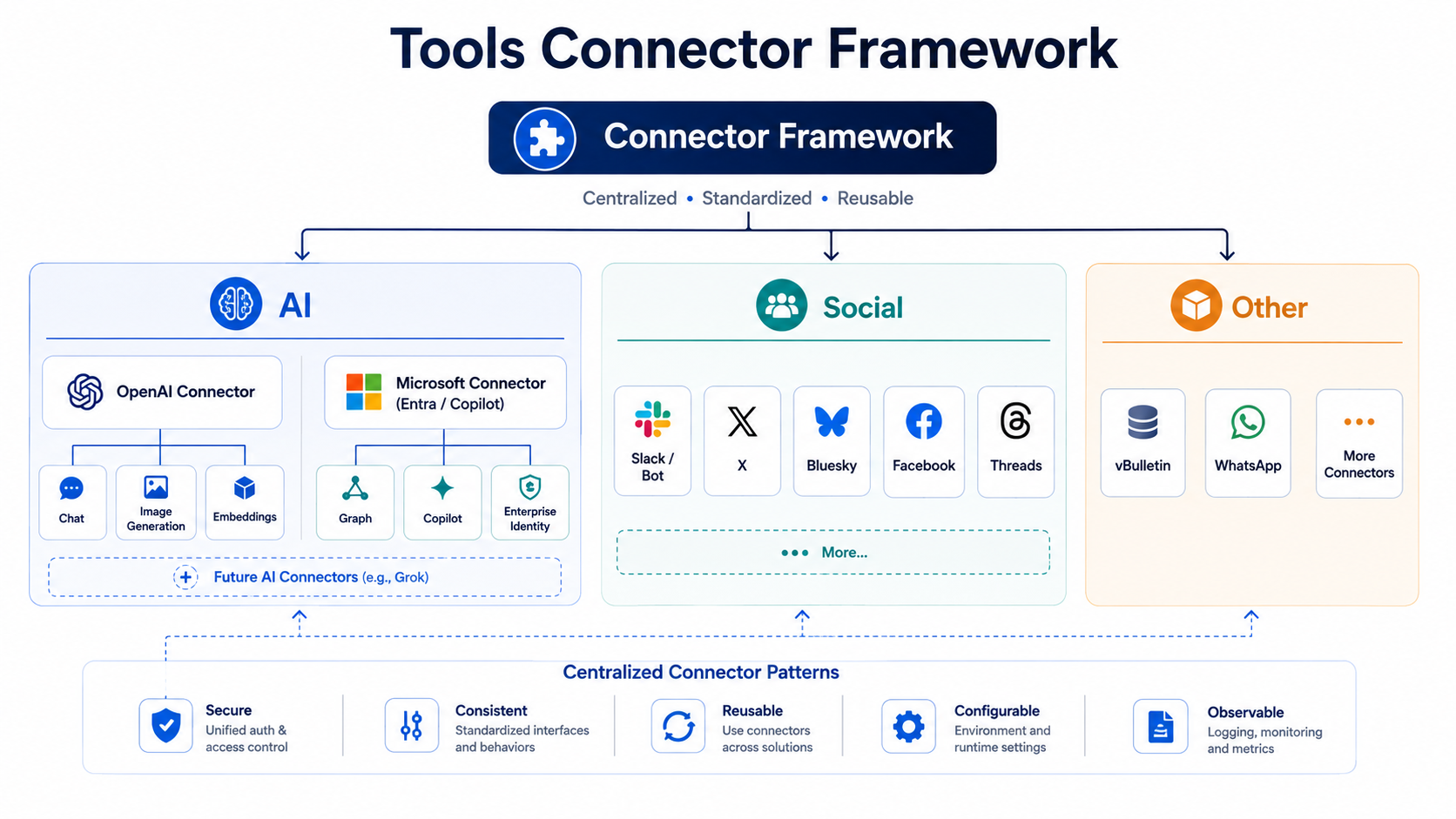
- Expanded the shared OpenAI integration infrastructure.
- Introduced Deep Research support for selected AI workflows.
- Improved reasoning-model compatibility and response handling.
- Added safer recovery from incomplete OpenAI responses.
- Improved AI model discovery and selection.
- Modernized model handling as older OpenAI models were retired.
- Introduced per-user AI usage and cost tracking.
- Added prepaid AI Credits and balance accounting.
- Introduced centralized AI funding and debit policies.
- Added safer credit reservations for simultaneous requests.
- Improved accounting for administrator-funded AI requests.
- Added a shared Shop wallet and transaction history.
- Introduced provider-independent PaymentFactory infrastructure.
- Added purchase reconciliation and duplicate-payment protection.
- Integrated Ko-fi payments with AI Credit funding.
- Added Ko-fi payment confirmations and purchase visibility.
- Introduced Google Play Billing verification for Android purchases.
- Added recovery and reversal handling for Google Play payments.
- Improved payment diagnostics, auditing, and administrator tools.
Web Search Alerts and Alert Engine
- Expanded Web Search Alerts with scheduled AI-powered searches.
- Developed Alert Engine as shared monitoring infrastructure.
- Added reusable search profiles, execution history, and notifications.
- Improved search-result relevance assessment.
- Added clearer relevance percentages.
- Improved handling of duplicate search results.
- Added automatic recovery for interrupted monitoring jobs.
- Improved protection against overlapping scheduler executions.
- Expanded email and SMS notification support.
- Added test notification actions for search profiles.
- Improved alert frequency and schedule configuration.
- Introduced centralized management of monitoring schedules.
- Improved provider response parsing and incomplete-result recovery.
- Expanded monitoring integration with other ToolsAPI services.
Fact Verify, SocialGPT and Reputation
- Expanded Fact Verify with deeper AI-assisted research.
- Improved source verification and citation handling.
- Added larger output budgets for complex fact-checking.
- Improved research follow-ups and translations.
- Added AJAX progress reporting for fact-checking operations.
- Integrated research mode into existing Fact Verify workflows.
- Improved recovery when AI responses are incomplete.
- Expanded SocialGPT fact-checking capabilities.
- Improved SocialGPT response validation and error handling.
- Developed the Reputation service for web resources.
- Added reputation targets for domains, URLs, posts, and public content.
- Introduced moderated community reputation reports.
- Separated community reports from authoritative reputation decisions.
- Added standalone Reputation APIs and administration.
- Improved ownership and privacy controls for SocialGPT data.
- Expanded Android authentication support for SocialGPT.
Job Search
- Expanded AI-assisted job discovery and relevance matching.
- Improved individual search profiles and ownership controls.
- Added profile-specific priorities, exclusions, and instructions.
- Expanded Swedish job discovery across multiple sources.
- Integrated structured Arbetsförmedlingen JobTech searches.
- Added support for personal and global job-search sources.
- Introduced global preferred-employer lists.
- Added configurable employer registries with filtering rules.
- Improved verification of individual job advertisements.
- Improved detection of expired or removed listings.
- Added automatic revalidation of saved advertisements.
- Improved validation of redirected and canonical job URLs.
- Strengthened protection against misleading or generic search results.
- Improved job-listing deduplication.
- Added AI assistance for refining search profiles.
- Introduced guided analysis of irrelevant job matches.
- Added better suggestions for negative search keywords.
- Improved AI-generated profile instructions and names.
- Added personal CV and cover-letter storage.
- Introduced structured professional experience and qualification records.
- Added Markdown CV editing and document previews.
- Improved PDF and DOCX document extraction.
- Introduced document-aware AI search assistance.
- Developed AI-assisted job application drafts.
- Added follow-up questions for missing application details.
- Added application review and test-email functionality.
- Improved application delivery verification.
- Added safer handling of uploaded application documents.
- Introduced compact job tables with sorting and filtering.
- Added expandable profile-specific result sections.
- Improved search execution reports and history.
- Added clearer administrator inspection of search profiles.
- Expanded live search progress and execution diagnostics.
- Added limited parallel execution of multiple search profiles.
- Improved protection of shared AI budgets during parallel searches.
- Introduced administrator-funded search capacity and credit exceptions.
- Expanded email and SMS notifications for new jobs.
- Added public profile sharing and syndicated results.
- Introduced native Android Job Search authentication and API support.
- Added secure Android handoff to the existing application workspace.
- Improved handling of provider failures and rate limits.
Whisper and Transcription
- Expanded Whisper into a distributed transcription platform.
- Added support for external CPU and GPU workers.
- Introduced authenticated worker job claiming.
- Added worker capabilities, leases, and heartbeats.
- Improved remote worker status and progress reporting.
- Added automatic worker discovery and registration.
- Introduced historical records for inactive workers.
- Improved recovery of interrupted transcription jobs.
- Expanded model selection and runtime diagnostics.
- Added re-transcription using different models.
- Introduced readable transcript revision history.
- Improved speaker diarization using pyannote.
- Added live progress reporting for speaker separation.
- Improved speaker identification and correction.
- Added media playback alongside transcript segments.
- Introduced grouped speaker-turn displays.
- Expanded transcript editing and annotations.
- Improved AI analysis and follow-up questions.
- Added transcription and analysis recovery mechanisms.
- Introduced guest transcription with verification controls.
- Expanded public transcript sharing.
- Added public comments and visitor-specific AI interactions.
- Improved transcript privacy and access restrictions.
- Added original audio and video playback to public shares.
- Improved handling of URL-based media sources.
- Added better upload progress and duplicate-file detection.
- Improved recovery from interrupted media uploads.
- Reduced database session and worker lock contention.
- Improved retry handling for temporary database failures.
- Expanded diagnostic information for failed jobs.
- Improved worker and transcript administration.
Browserbot, Botstudio and Facebook
- Expanded browser automation using Playwright.
- Developed more reliable Browser Social workflows.
- Improved Facebook Page and group identity verification.
- Strengthened protection against posting from incorrect accounts.
- Added automatic scheduled Facebook feed publishing.
- Introduced curated article selection and publishing queues.
- Improved RSS-based article discovery for social publishing.
- Added category-aware feed selection.
- Expanded article preview and publishing history.
- Improved detection of article paywalls.
- Added read-only verification of uncertain Facebook submissions.
- Improved recovery after interrupted publishing attempts.
- Strengthened duplicate-publication protection.
- Added progress reporting for browser operations.
- Improved detection of Facebook comment and reply fields.
- Expanded handling of Facebook notifications and mentions.
- Introduced scheduled notification processing.
- Improved AI replies to direct questions in social discussions.
- Added automated follow-up checks of previous interactions.
- Improved browser diagnostics and failure reporting.
X Bot and Social Automation
- Expanded the public X conversation archive.
- Added threaded conversation trees and navigation.
- Improved recovery of incomplete X conversation histories.
- Strengthened reply-context verification before AI generation.
- Improved detection of mentions within posts.
- Added administrator-controlled forced reply generation.
- Improved handling of manually retried conversations.
- Expanded support for referenced images in quoted posts.
- Improved separation of human questions and AI-generated conversations.
- Strengthened prevention of automated reply loops.
- Improved scheduled X posting diagnostics.
Image Generator and Media
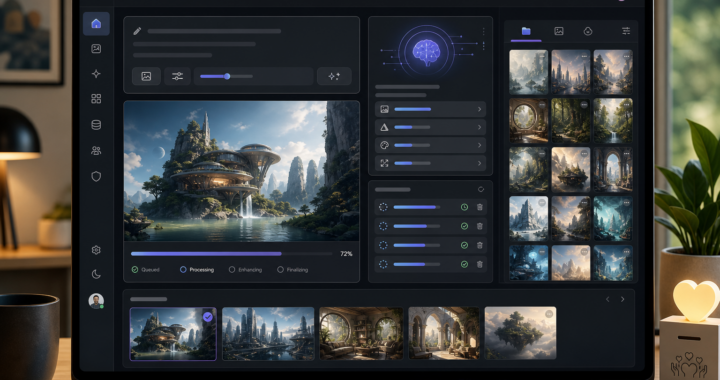
- Expanded OpenAI image generation and editing.
- Added support for multiple reference images.
- Introduced additional output formats and aspect ratios.
- Expanded image archives and publication controls.
- Added private, unlisted, and public image visibility settings.
- Introduced automatic publication preferences.
- Improved image publication management with AJAX.
- Added support for GPT Image 2.5 Sunburst and Flare.
- Expanded image quality and transparency options.
- Improved image generation retry handling.
- Added better prompt history and provenance information.
- Improved visibility of automatically adjusted prompts.
- Introduced concurrent image generation jobs.
- Added notifications for completed image generations.
- Developed Quick Generator for social media cover images.
- Added page-specific image generation and context extraction.
- Introduced image history and reuse for Quick Generator.
- Added global fallback images for social sharing.
- Improved social media metadata and image previews.
- Expanded reusable image generation targets.
Slack and Communication
- Developed an installable Slack AI Bot.
- Added Slack workspace OAuth installation.
- Introduced multi-workspace bot configuration.
- Added support for direct messages and threaded conversations.
- Expanded AI-powered replies and web-search integration.
- Improved Slack event handling and polling fallback.
- Added configurable channel and workspace behavior.
- Introduced faster polling of known conversations.
- Added processing acknowledgements for incoming messages.
- Improved Slack image generation and delivery.
- Added conversational image retries and model selection.
- Expanded Slack error diagnostics and delivery verification.
- Improved log-routing configuration and severity thresholds.
- Added safer handling of Slack installation and authentication failures.
SMS, Email and Spam Protection
- Expanded the central SMS service.
- Improved incoming SMS storage and deduplication.
- Added automatic processing of incoming messages.
- Introduced conversational AI responses to SMS.
- Added manual handling of previously received SMS.
- Improved SMS delivery and queue progress reporting.
- Added account-wide mobile number verification.
- Improved SMS callback and device identification handling.
- Expanded Mail Support Assistant synchronization.
- Improved recovery from temporary mail database locks.
- Introduced clearer retry responses for synchronization failures.
- Expanded SpamAssassin integration and testing.
- Improved SpamAssassin response handling and timeout detection.
- Added personal mail and SpamAssassin configuration pages.
DNS, DNSBL and Infrastructure
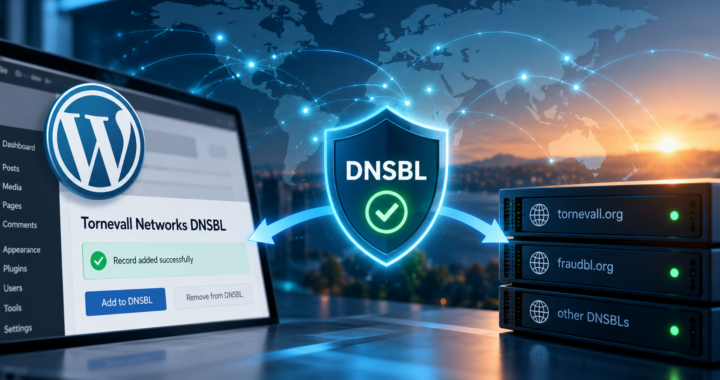
- Expanded DNSBL proxy and Tor exit detection.
- Improved verification of real proxy connectivity.
- Introduced more detailed proxy metadata.
- Added safer lifecycle handling of removed proxies.
- Improved synchronization with Tor Project exit information.
- Added structured DNSBL and FraudBL classifications.
- Expanded DNSBL request statistics and diagnostics.
- Improved DNSBL integration with Online Users.
- Added shared DNSBL resolver caching and failover.
- Expanded DNS administration and zone management.
- Added DNSSEC management for BIND zones.
- Improved DNSSEC key and DS record handling.
- Improved DNS zone validation and rollback procedures.
- Expanded Dynamic DNS administration.
- Improved infrastructure and network inventory documentation.
- Expanded certificate administration and monitoring.
- Improved Let’s Encrypt certificate renewal detection.
- Added local reconciliation of renewed certificates.
- Improved certificate ownership and renewal notifications.
- Expanded geographic and network information using MaxMind.
Statuspage and System Monitoring
- Expanded Statuspage with historical service availability.
- Introduced daily uptime history and availability metrics.
- Improved component and incident administration.
- Added automatic status updates from operational errors.
- Improved recovery detection following successful deployments.
- Reduced incorrect or persistent degraded states.
- Improved synchronization between incidents and component status.
- Added clearer administrative status controls.
- Improved dark-mode readability and visual contrast.
- Expanded administrator monitoring and diagnostic views.
Additional Services and Integrations
- Expanded Guestbook into a hosted multi-book platform.
- Added legacy guestbook imports and historical archives.
- Introduced Guestbook APIs and external embedding.
- Added WordPress-oriented Guestbook integration support.
- Developed Votech with public, personal, and administrative workspaces.
- Added Votech polls, projects, communities, and candidate management.
- Expanded Votech identity and participation controls.
- Improved Votech media management.
- Developed Transit Planner with schedule-image analysis.
- Added Skånetrafiken station and route lookup.
- Improved timetable interpretation and travel planning.
- Introduced shorter Transit Planner sharing links.
- Added saved planning preferences and automatic link expiration.
- Developed a public Suggestions and Feedback service.
- Added service-specific feedback categories.
- Introduced GitHub issue lookup and linking for suggestions.
- Improved feedback moderation and administration.
- Expanded Recipes with recipe editing and dietary preferences.
- Added optional AI assistance for recipes.
- Introduced recipe publication controls and To Do integration.
- Started Tools Score for activities, routines, and progress tracking.
- Added configurable allowance tracking in Tools Score.
- Expanded personal and family functionality in Menstrual Tracking.
- Improved Menstrual Tracking history and SMS reminders.
- Improved RSS Watch article management and history cleanup.
- Added magazine-style RSS browsing.
- Expanded StorageAPI and legacy archive management.
- Improved the shared Services directory.
- Introduced searchable services and personalized pinned shortcuts.
- Expanded Android support across several ToolsAPI services.
Latest Fixes – October 19-25, 2026
- Reduced repeated Whisper missing-job error alerts.
- Improved Whisper worker claim locking and retry behavior.
- Added automatic discovery of connected Whisper workers.
- Preserved historical records of inactive Whisper workers.
- Added original recordings to public Whisper transcript shares.
- Fixed public video playback when MIME metadata is missing.
- Added clearer duplicate-upload warnings and existing-job links.
- Improved local Let’s Encrypt certificate renewal reconciliation.
- Fixed SpamAssassin response completion and timeout diagnostics.