
ToolsAPI started as my personal toolbox: a place for utilities I knew I would actually use myself. That idea still exists. It has just developed a slight case of “THIS SHOULD PROBABLY GO INTO TOOLS TOO”.
What began with technical helpers is turning into a much broader collection of services for infrastructure, automation and ordinary everyday problems. The direction is starting to resemble the IFTTT-like integration platform I have also been exploring: different services, triggers and actions gradually meeting in the same place.
ToolsAPI now includes certificate distribution, DNS administration, assisted job searching and personal reminder services. These are quite different problems, but most of them have entered Tools for the same reason: I ran into something repetitive, awkward or easy to forget and thought, “I can probably automate that.”
Let’s Encrypt certificates in one place
One of the latest additions is central Let’s Encrypt certificate management.
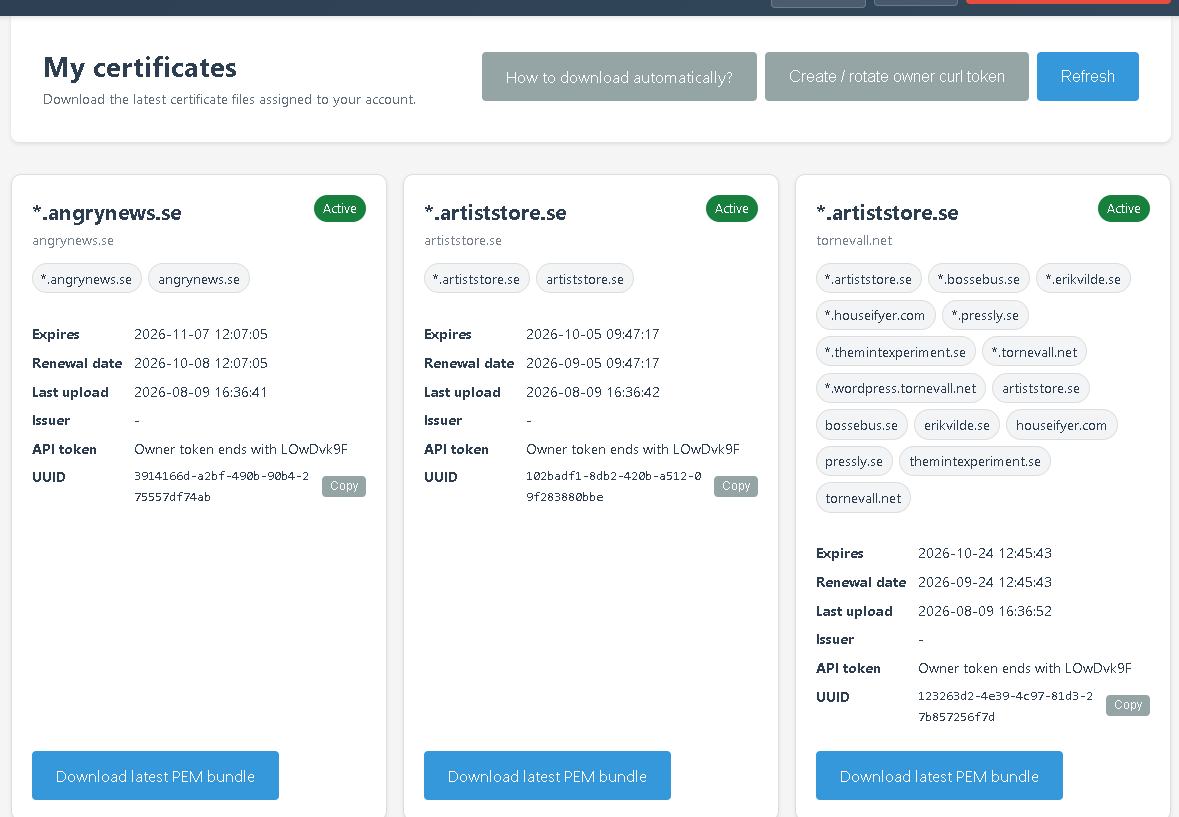
Certificates created by Certbot can be published to Tools after issuance or renewal. Tools validates the certificate material, stores it privately and associates it with the account that should have access to it. The latest PEM bundle can then be downloaded manually or fetched automatically from another server using a protected token.
This is useful when the machine issuing a certificate is not the same machine that needs to use it. Tools can act as a small distribution point between Certbot, servers and the people responsible for the certificate.
Certificates keep the same public UUID across renewals, while access tokens can be rotated separately when needed. The interface also shows the domains included in a certificate, its current status, expiry and latest upload.
In other words: Certbot can keep doing what Certbot is good at, while Tools handles the “now how do I safely get this certificate over there?” part.
DNS administration is connected to certificate access
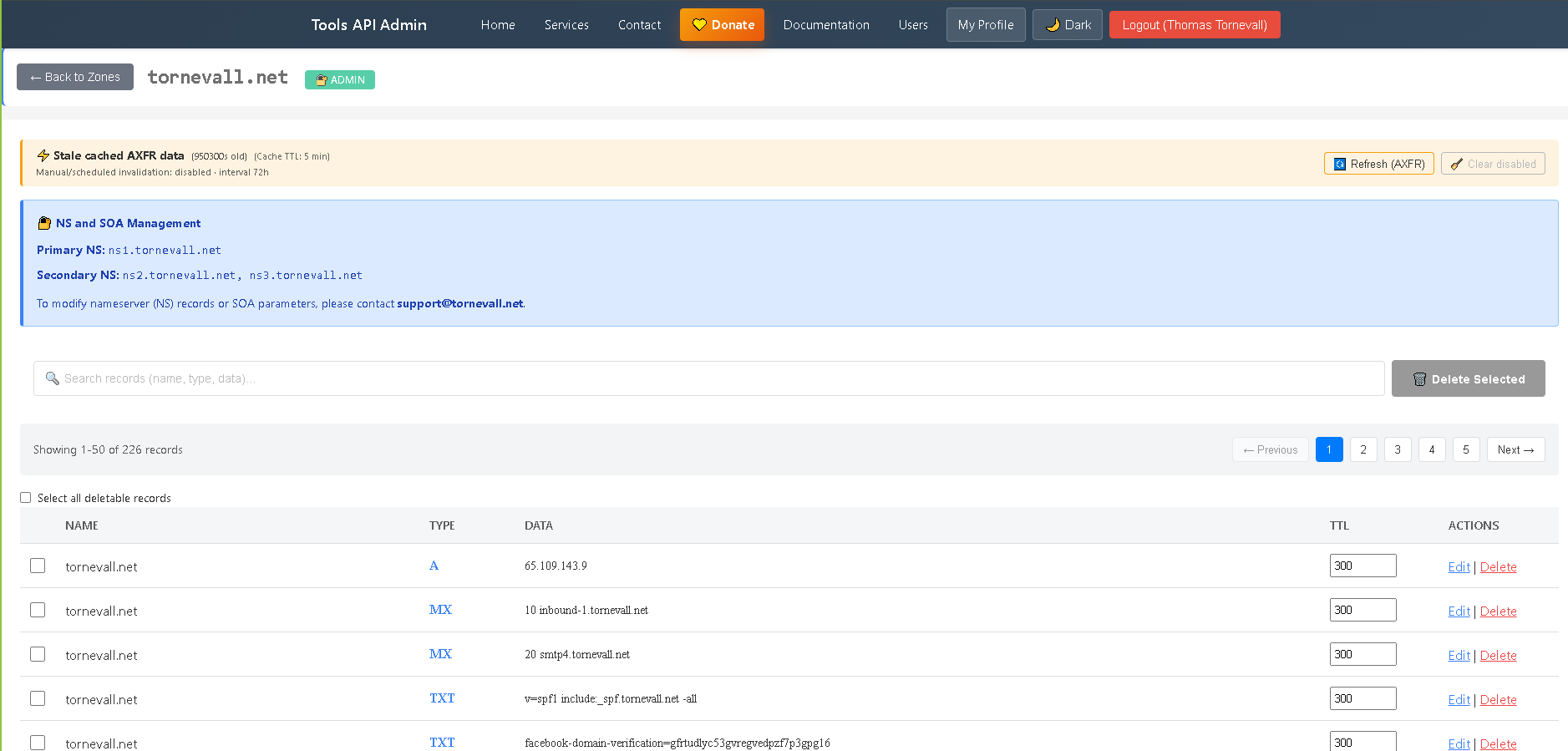
The certificate service is also connected to the DNS editor.
An enabled certificate assigned to a user can grant access to the matching DNS zone, so the same domain does not need a separate DNS permission entry just to be managed by the certificate owner.
The DNS editor itself makes it possible to work with zones and records from the web interface instead of editing zone files by hand. Access can be delegated per user, records can be searched and updated, and the same interface can work with zones backed by an external provider such as Cloudflare.
For locally managed zones, Tools can use cached zone data and refresh it from the authoritative source when needed. The API exposes the same basic operations for integrations and automation.
DNS is one of those things that works beautifully right up until the exact moment when you urgently need to change something. Having the records, permissions and certificate relationship visible in one place makes that considerably less entertaining.
A job search agent that can keep looking
Job hunting is another repetitive workflow that somehow found its way into the same toolbox.
The Job Search agent works from a personal search profile describing locations, types of work, keywords, exclusions and additional instructions. It searches for current listings on the web and performs additional checks on the result pages before they are accepted.
The service is intended to reduce repeated searching and cut down on listings that are already gone or clearly irrelevant.
Results can be reviewed in Tools, and unwanted listings can be dismissed so the same result is not repeatedly presented to the same account. Scheduled searches can reuse the profile and continue looking for new opportunities over time.
AI is used to help search, sort and compare results. The person using the service decides which listings are worth reading or applying for.
The basic idea is fairly simple: if finding a job is already work, there is no particular reason to manually redo exactly the same search every morning.
As a parent, I also wanted a simpler menstrual reminder
Then there are features that are considerably less server-shaped.
As a parent, keeping track of dates and remembering when the next period may be approaching is the kind of recurring everyday task where a small reminder can genuinely help. So, naturally, that ended up in Tools too.
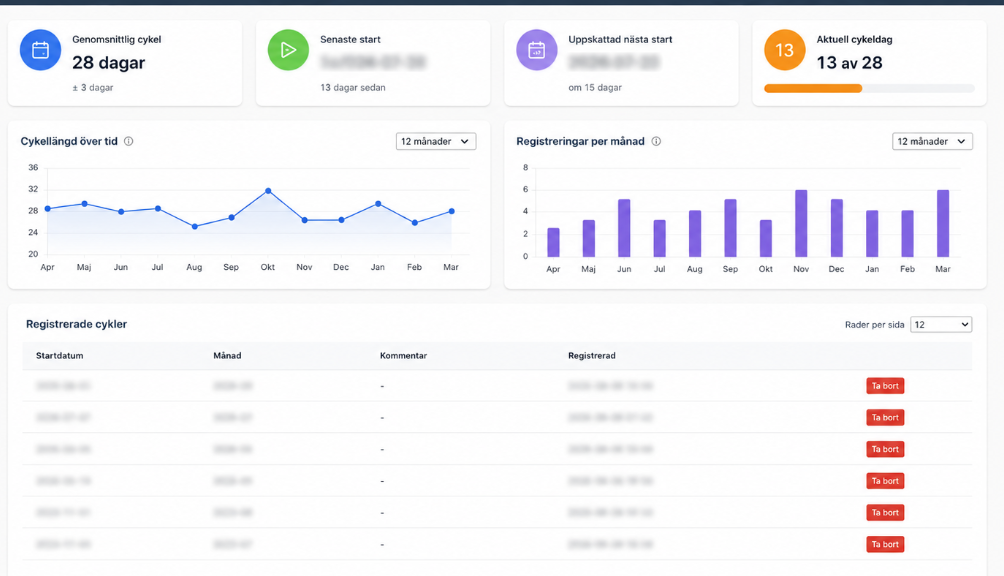
The menstrual tracking service allows period starts to be registered and used to build a cycle history. From that history, Tools can show information such as average cycle length, the latest registered start and an estimated next start.
Optional SMS reminders can be enabled a selected number of days before that estimate. Accounts can also be linked so the same reminder can be sent to a parent. The menstrual profile belongs to the person being tracked, and delivery to each recipient is handled separately.
The service can also be used without SMS as a personal history of registered cycles.
It is probably not the first feature people expect to find next to DNS and Let’s Encrypt certificates, but that is increasingly the point of Tools: useful things do not always belong to the same category before they become useful together.
The toolbox is getting suspiciously large
There is still a personal-toolbox idea at the core of ToolsAPI. I tend to build things because I have an actual use for them, or because someone close to the project has a concrete problem worth solving.
The difference now is that the boundary has become much wider. Infrastructure tools can connect to account permissions. Certificates can connect to DNS. Search agents can run scheduled work. Reminder services can react to dates and user settings.
That is also why the IFTTT-like direction is interesting. Instead of treating every feature as an isolated application, more of Tools can eventually become reusable building blocks: something happens here, which triggers something useful over there.
At the current rate, the technical design principle may eventually just become: “Fine. Put it in Tools.”
ToolsAPI is actively developed, and suggestions are useful while this slightly overenthusiastic toolbox continues to grow. If something is missing, awkward or unnecessarily complicated, feedback and improvement ideas are welcome.